Data Apps for Analysts Who Live in Sheets
Turn spreadsheet workflows into robust, reusable data apps without losing the flexibility you love.
Key Takeaways
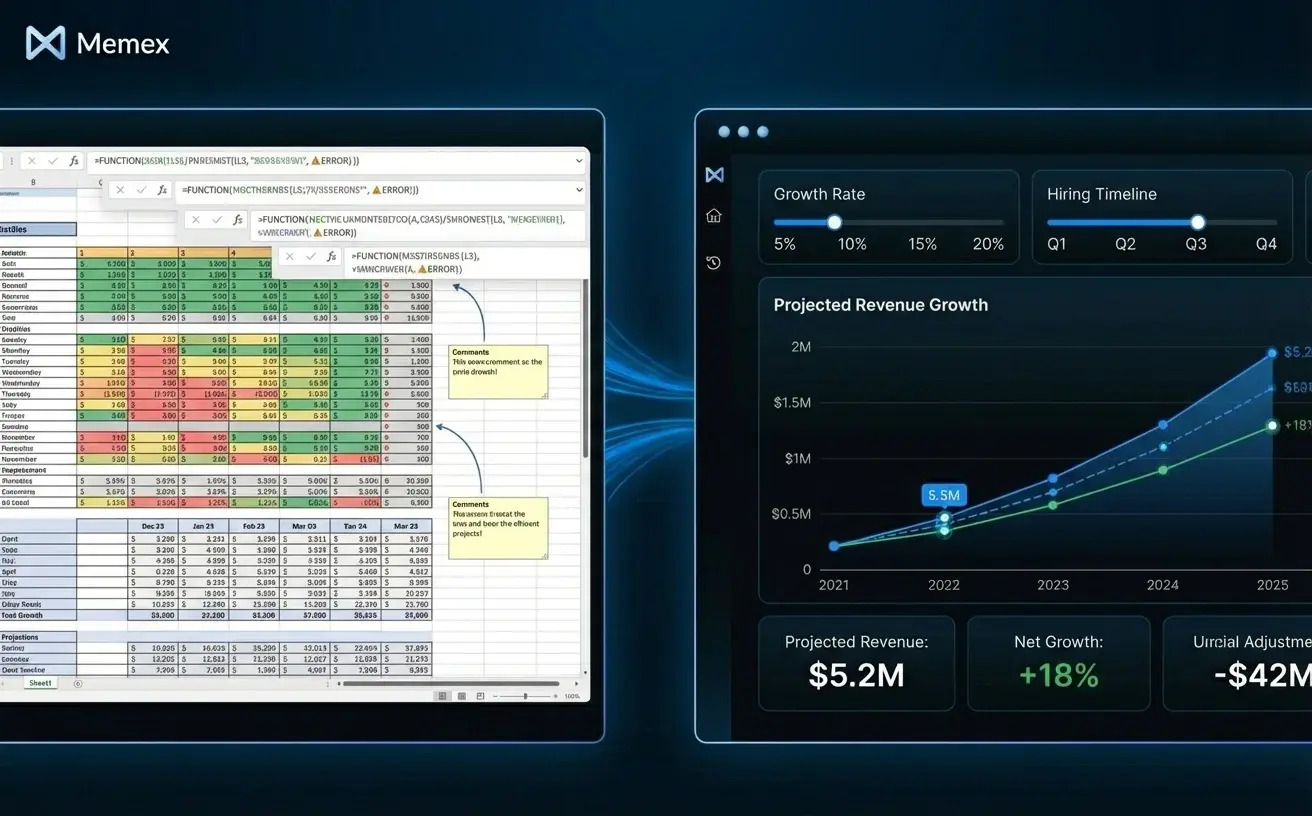
Spreadsheets are powerful but fragile—complex workbooks become hard to share, scale, and trust
Data apps offer a natural evolution: the same logic, made robust and reusable
Memex can connect directly to your sheets, translate formulas into code, and help you build apps that your whole team can use
The goal isn't replacing spreadsheets—it's giving you a path from "this works for me" to "this works for everyone"
We love spreadsheets. If you're reading this, you probably do too.
There's a reason analysts, operations leads, and business teams have built their worlds inside Excel and Google Sheets for decades. Spreadsheets are immediate. You open a file, type a formula, and something happens. No permissions to request, no tickets to file, no waiting for engineering. You can model a business, reconcile accounts, forecast revenue, and build a reporting system, all before lunch.
That flexibility is real, and we're not here to dismiss it. But if you've spent enough time in spreadsheets, you've also felt the friction that comes later. The workbook that made perfect sense six months ago now has seventeen tabs and formulas that reference cells three sheets away. The "final" version lives in five different email threads. Someone asks, "Where does this number come from?", and the honest answer is, "Give me an hour."
Spreadsheets scale beautifully until they don't. And when they stop scaling, the usual advice is: "Get engineering to build you a real tool." But that path is slow, expensive, and often means losing the flexibility that made the spreadsheet valuable in the first place.
We think there's a better option. Not replacing spreadsheets, but graduating the ones that matter into something more robust: data apps.
Why Spreadsheets Work—and Where They Break
Before we talk about data apps, it's worth naming what makes spreadsheets so effective. Three things stand out.
First, spreadsheets have almost no learning curve for getting started. You can solve real problems on day one. Second, they're deeply flexible. Every cell is programmable, every layout is negotiable, and you can reshape your model as your understanding evolves. Third, they're visual. You see your data and your logic in the same place, which makes debugging intuitive.
These strengths don't disappear as workbooks grow. But new problems emerge.

Fragility: Formulas depend on specific cell references. Move a column, delete a row, or paste data in the wrong spot, and things break silently. The workbook still opens, still calculates, but the numbers are wrong, and you might not notice for weeks.
Opacity: As logic accumulates, it becomes harder to explain. A formula like =SUMPRODUCT((A2:A100=F2)*(B2:B100>0)*(C2:C100)) does something meaningful, but six months later, you might not remember what. And neither will anyone else.
Sharing friction: Even when a spreadsheet can be “shared” (Google Sheets, Excel in the cloud, etc.), collaboration gets messy fast. People edit the same cells, paste over formulas, insert rows that break references, or “fix” something that quietly changes the logic. Permissions don’t stop accidents—or the confusion about what changed, why, and whether the sheet is still trustworthy. The result isn’t two versions—it’s one shared file that becomes harder to safely touch.
Scaling limits: Sheets start to lag when data gets large. More importantly, updating inputs, refreshing sources, and rerunning logic becomes manual work—work that doesn't scale to daily or hourly cadences.
These aren't arguments against spreadsheets. They're arguments for knowing when to evolve.
What We Mean by "Data App"
At Memex, we use "data app" broadly. A data app is any reusable, code-backed way of turning data into something useful—insight, automation, or a concrete product. It always combines three things: data, logic, and a surface that lets people or systems benefit from that logic repeatedly.
The surface might be a dashboard. It might be a scheduled script that runs overnight and drops a report in Slack. It might be a simple review UI where someone approves or rejects flagged records. It might even be a conversational workflow where you ask questions, Memex runs code, and you iterate on answers without ever publishing anything.
The key distinction from spreadsheets isn't the interface—it's the architecture. In a spreadsheet, data, logic, and presentation are tangled together in a single file. In a data app, they're separated. The data lives in a real source. The logic lives in code. The surface is just one way to interact with the output.
From Spreadsheet to Data App: Three Patterns
Let's make this concrete. Here are three common spreadsheet workflows and what they look like when they graduate to data apps.
Pattern 1: The Forecasting Sheet Becomes a Scenario Tool
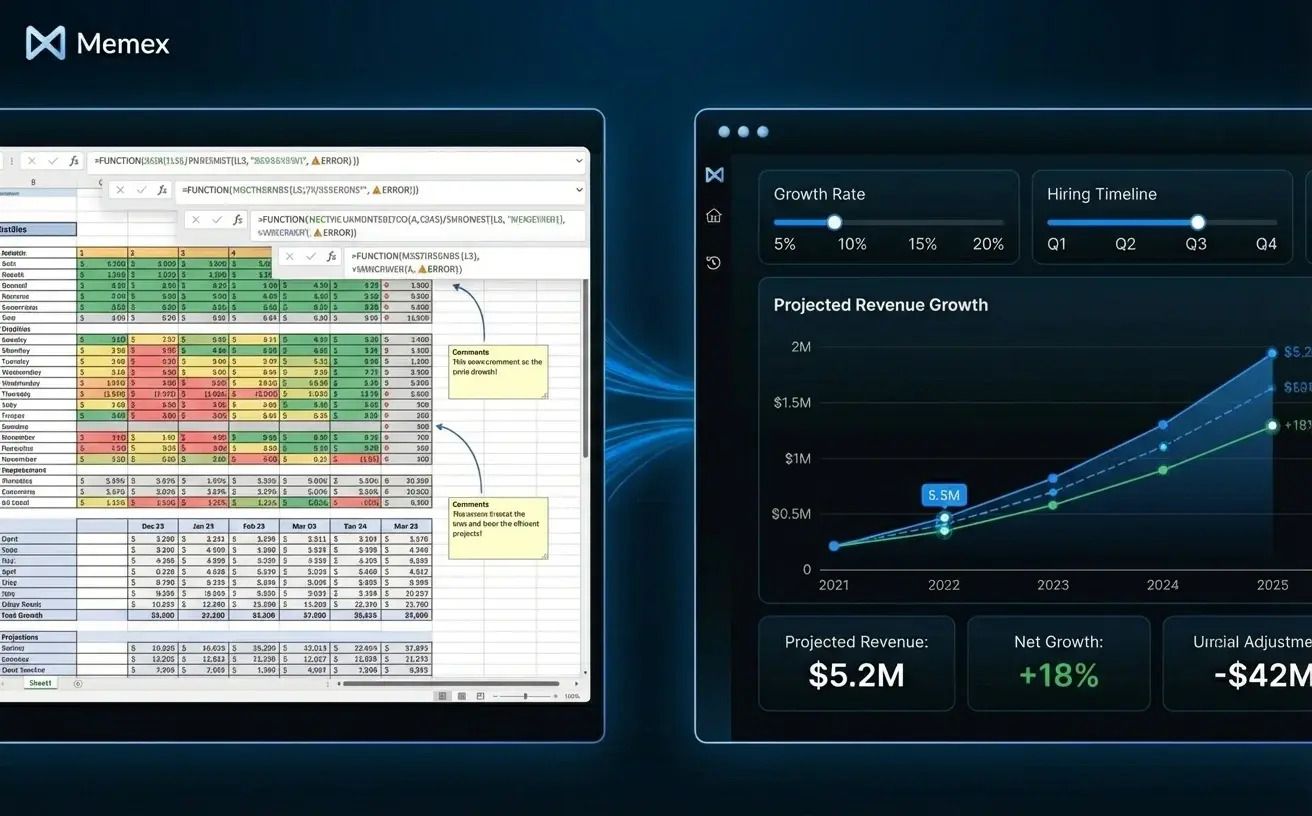
You've built a forecasting model in Sheets. Revenue assumptions in one tab, cost projections in another, summary metrics rolled up in a third. It works well for you—but when the CFO asks to see "what happens if we grow 15% slower and delay hiring by a quarter," you have to jump in and manually adjusting inputs.
As a data app, this becomes a scenario planning tool. The core logic—growth calculations, cost roll-ups, cash runway formulas—gets translated into whatever code language is most helpful, maybe Python or SQL for this example. The inputs become parameters that anyone can adjust through a simple web interface. Each scenario is saved, comparable, and auditable. Instead of emailing workbook versions, stakeholders visit a URL, tweak assumptions, and see results instantly.
Pattern 2: The Reconciliation Sheet Becomes a Pipeline with Review UI
Reconciliation workflows are spreadsheet classics. You pull data from two sources—maybe a payment processor export and an internal ledger—paste them into adjacent columns, write formulas to flag mismatches, and manually investigate the exceptions.
This works until it doesn't. The data grows. The sources multiply. The analyst doing reconciliation leaves, and nobody remembers how the matching logic works.
As a data app, reconciliation becomes a headless pipeline that runs on schedule. It connects to both sources directly, applies matching logic in code, and outputs a clean list of exceptions. A simple review UI lets someone work through flagged items—approve, reject, or escalate—without touching the underlying logic. The code is version-controlled, the runs are logged, and the process doesn't depend on any one person remembering where the sheet lives.
Pattern 3: The Reporting Workbook Becomes an Always-On Dashboard
Multi-tab reporting workbooks are everywhere. Sales by region, pipeline by stage, monthly trends, quarterly comparisons. Every week, someone downloads fresh data, pastes it into the right tabs, makes sure formulas update correctly, and exports PDFs for distribution.
As a data app, this becomes a live dashboard that refreshes from source. The logic that calculates metrics, applies filters, and formats outputs gets translated into code. The visualizations get rendered in a web UI that anyone can access. Updates happen automatically—hourly, daily, or on-demand—and the "export to PDF" step becomes optional rather than mandatory.
How Memex Helps Make This Transition
We built Memex to be an AI software engineer that works with data. For analysts coming from spreadsheets, that means Memex can serve as a bridge—helping you take workflows you understand and turn them into systems that scale.
Here's how the process typically works.
First, Memex connects to your data. That might mean reading a Google Sheet directly via the Sheets API, or it might mean connecting to the database, warehouse, or API where your source data actually lives. Memex handles authentication, inspects the structure, and shows you what it finds.
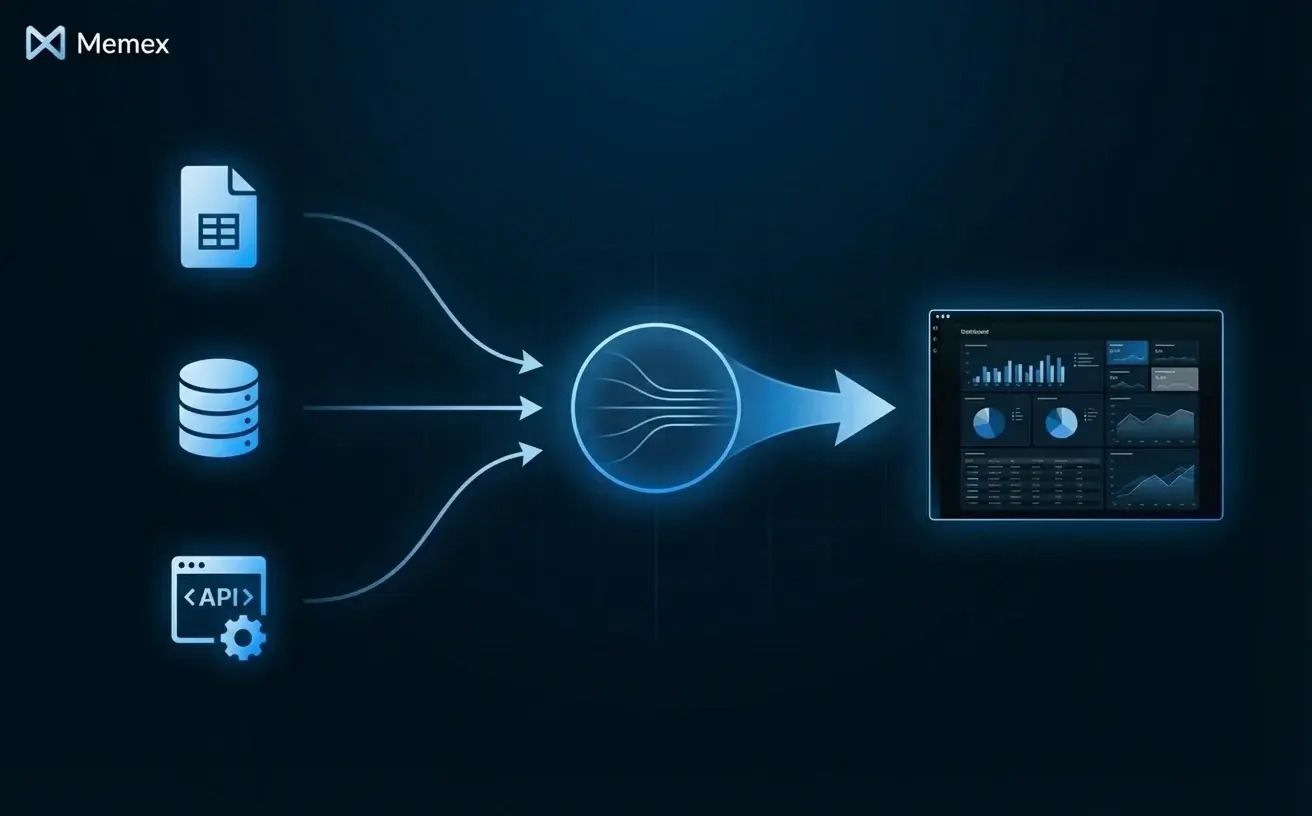
Next, Memex helps you translate your logic. We describe what a particular formula or tab does, and Memex writes equivalent code in whatever programming language best fits your project—Python, SQL, R, etc.—that accomplishes the same thing. The code is explicit, testable, and doesn't depend on cell references. If we're not sure the translation is right, we can ask Memex to run both versions and compare outputs.
Then, Memex helps us decide what kind of surface makes sense. Sometimes we want a UI: a dashboard, a review queue, a scenario tool. Sometimes we want a headless process: a script that runs nightly and pushes results to Slack or a database. Sometimes we don't want to publish anything at all—we just want to re-run logic conversationally inside Memex whenever we have questions.
Throughout this process, Memex handles the unglamorous work that stops most spreadsheet-to-code transitions in their tracks: setting up environments, installing dependencies, debugging errors, and iterating until things work. We focus on what the logic should do; Memex figures out how to make it run.
The Goal: From "Works for Me" to "Works for My Team"
We want to be clear about something: we're not suggesting you abandon spreadsheets. For quick analysis, ad-hoc exploration, and early-stage modeling, spreadsheets are still the right tool. We use them constantly.
But some spreadsheets outgrow their origins. They become critical systems—the source of truth for decisions, the backbone of operations, the thing that breaks and takes everyone's morning with it.
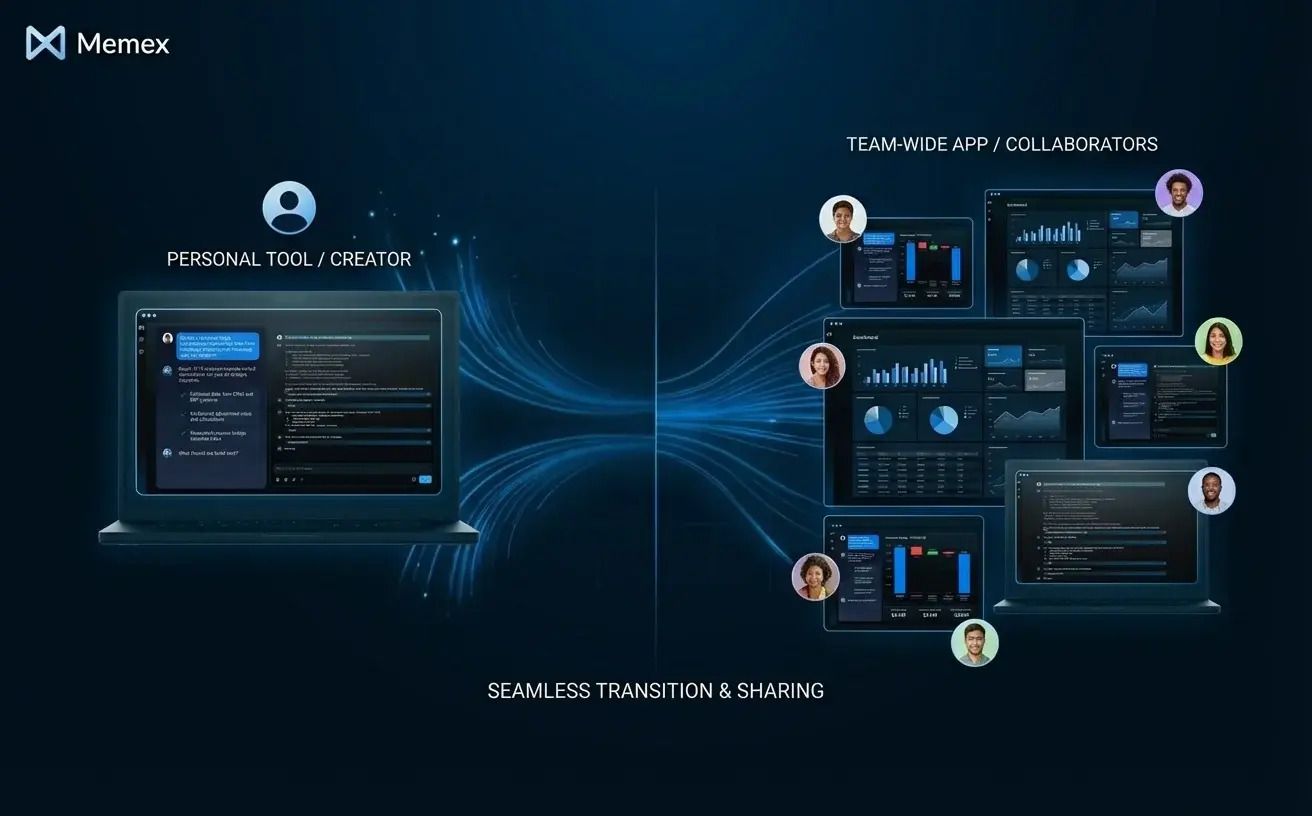
Those spreadsheets deserve to graduate. Not because spreadsheets are bad, but because the work has become too important to stay trapped in a format designed for individual productivity. Data apps are the natural next step: the same logic, made robust and reusable, accessible to teams without becoming fragile.
Memex exists to make that transition fast and practical. We connect to your data, help you express your logic in code, build whatever surface makes sense—whether that's a UI, a pipeline, or a conversational flow—and deploy it with one-click so everyone in your team can use it. Everything we create is real code, with no lock-in.
If you've got a spreadsheet that's become mission-critical—and you're starting to feel the friction—we'd love to help you turn it into something that scales. You can get started for free, or join our Discord community to see how others are making the same transition.
FAQs
Can Memex connect directly to my Google Sheets?
Yes. Memex can connect to Google Sheets via the Sheets API, read the structure and data, and use that as a starting point for building data apps. It can also connect to Excel files, CSVs, databases, and APIs—wherever your data lives.
Do I need to know how to code to use Memex?
No prior coding experience is required. Memex handles the code generation, dependency management, and debugging. You describe what you want in natural language, and Memex builds it. If you want to review or modify the code, you can—but you don't have to.
Will my spreadsheet formulas translate accurately into code?
Memex works with you to translate formulas into equivalent logic in the language that best fits your project (e.g., Python, SQL, R, etc.). We can compare outputs between the original spreadsheet and the generated code to verify accuracy. Complex formulas sometimes require iteration, but Memex handles the back-and-forth until the logic matches.
What kinds of data apps can I build from a spreadsheet?
Common examples include dashboards, scenario planning tools, reconciliation pipelines, reporting systems, and internal tools with review or approval workflows. If your spreadsheet has logic that you re-run with updated data, that logic can likely become a data app.
Is my data secure when using Memex with sensitive spreadsheets?
Memex offers a local privacy mode on desktop, where your data and code never leave your machine. For cloud connections, Memex provides secrets management to handle credentials securely. You maintain full ownership of everything you create.