Memex Web is here!
The best way to build data apps is launching today
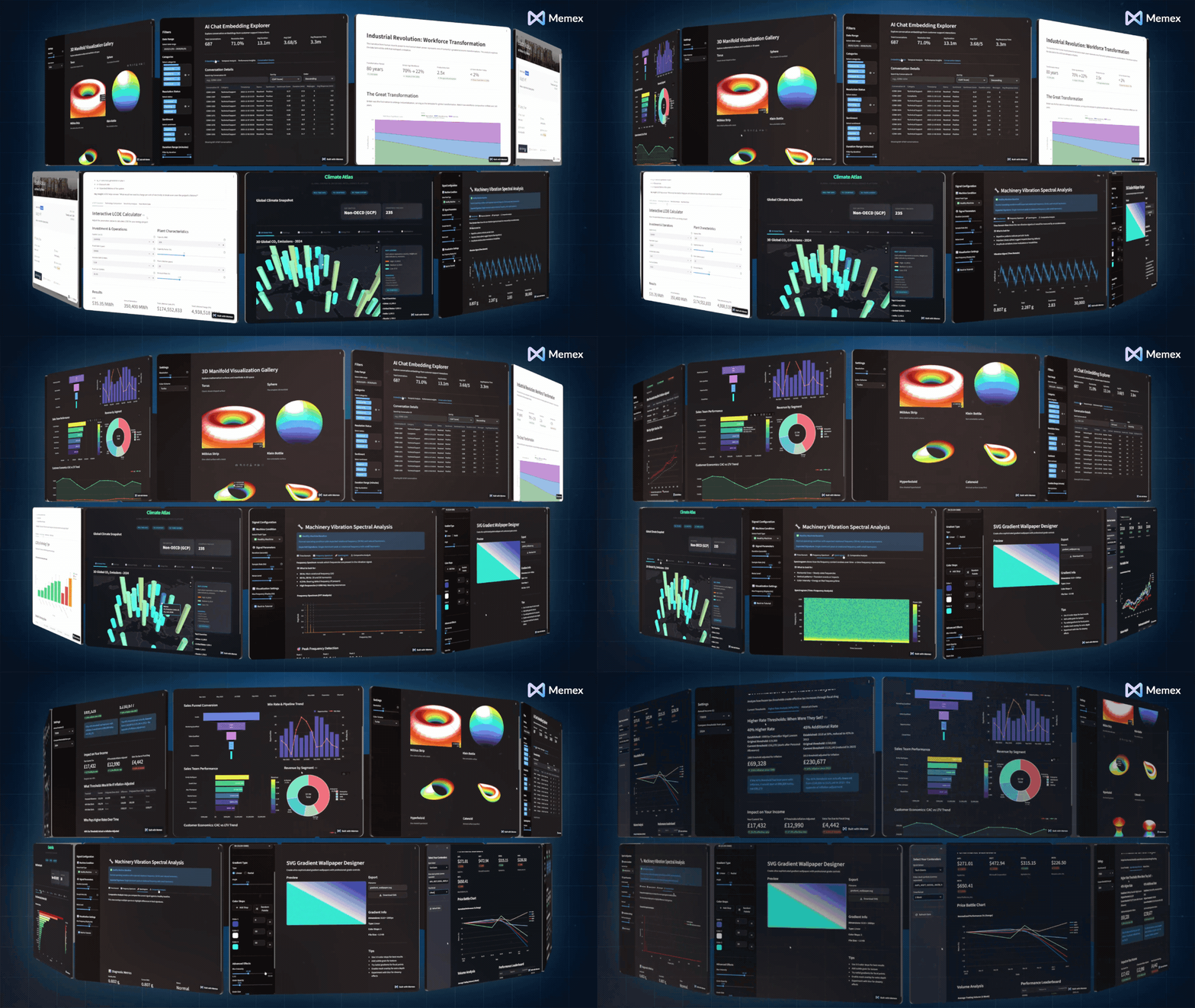
For the last few months, a pattern has shown up again and again in how people use Memex:
They’re not trying to build a full product.
They’re trying to turn a messy spreadsheet, datasets in a warehouse, or a recurring question into something reusable: an internal dashboard, a lightweight tool, a workflow, an interactive report.
In other words: data apps.
So today we’re launching Memex Web: a browser-based version of Memex designed to be the fastest way to build, iterate on, data apps, starting with Streamlit + Python apps.

What Memex Web is
Memex Web is an AI builder for data apps.
You describe what you want in natural language—“make an app that explores this CSV,” “let my team filter revenue by region and product,” “build a tool to validate these uploads and export a clean file”—and Memex turns that into a working, interactive app.
Under the hood, Memex does all the engineering and data science work:
Understanding your data (files, tables, APIs) and helping you inspect what’s actually in it
Scaffolding the project (app structure, UI components, data loading, error handling)
Writing the code, running it, and showing you the result as it builds
Iterating with you as requirements evolve (“add a benchmark,” “change the filters,” “make this chart a table,” “add export”)
Debugging and fixing issues when something breaks—without you needing to know where to start
Publish and host your app once you are ready to share it
You can edit code directly when you want to, but you don’t have to. The goal is to make building useful data apps feel more like collaborating with a technical teammate than “learning a new toolchain.”
Memex Web runs this workflow in your browser on a cloud virtual machine (VM). So everything is consistent and ready to go—no local setup, no dependency wrangling.
The three things that make it feel different
1) A built-in preview pane
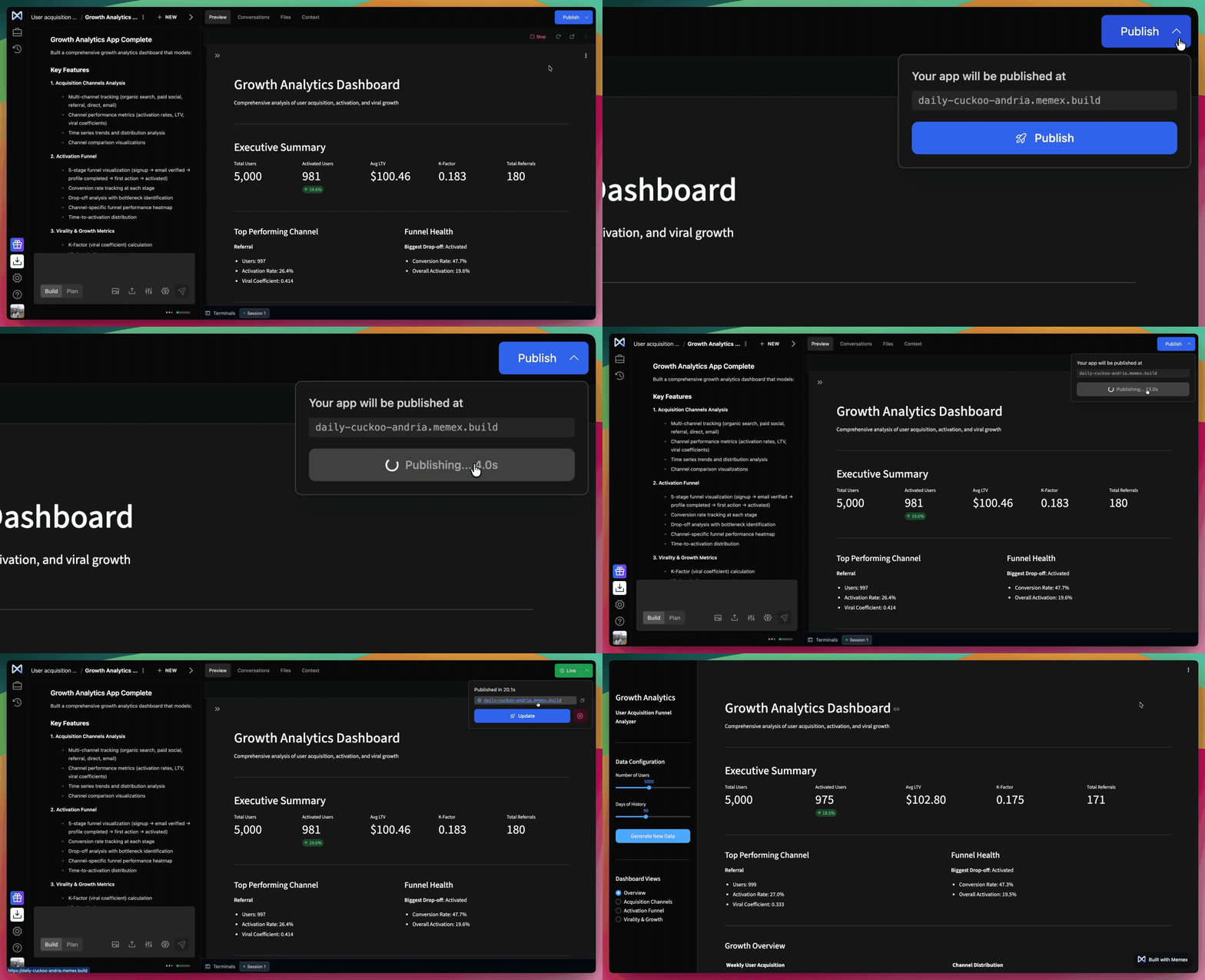
Memex Web includes a preview pane on the right-hand side. When Memex recognizes you’re building something that should be previewed (like an interactive app), it automatically opens it and keeps it updated.
The benefit: fewer context switches. No more bouncing between terminal output, localhost URLs, and browser tabs just to see what changed.

2) One-click publish
When you’re ready to share, click Publish. Memex deploys the current project and generates a shareable link that anyone can open.
The benefit: Memex handles the infrastructure—deployment, hosting, accessibility—so you can go from “working prototype” to “someone else can use it” in minutes.
Once an app is live, you can click Update to push the latest version. You can also see which projects are published from the Projects page (look for the green “Live” indicator).
3) Data connectors + Files
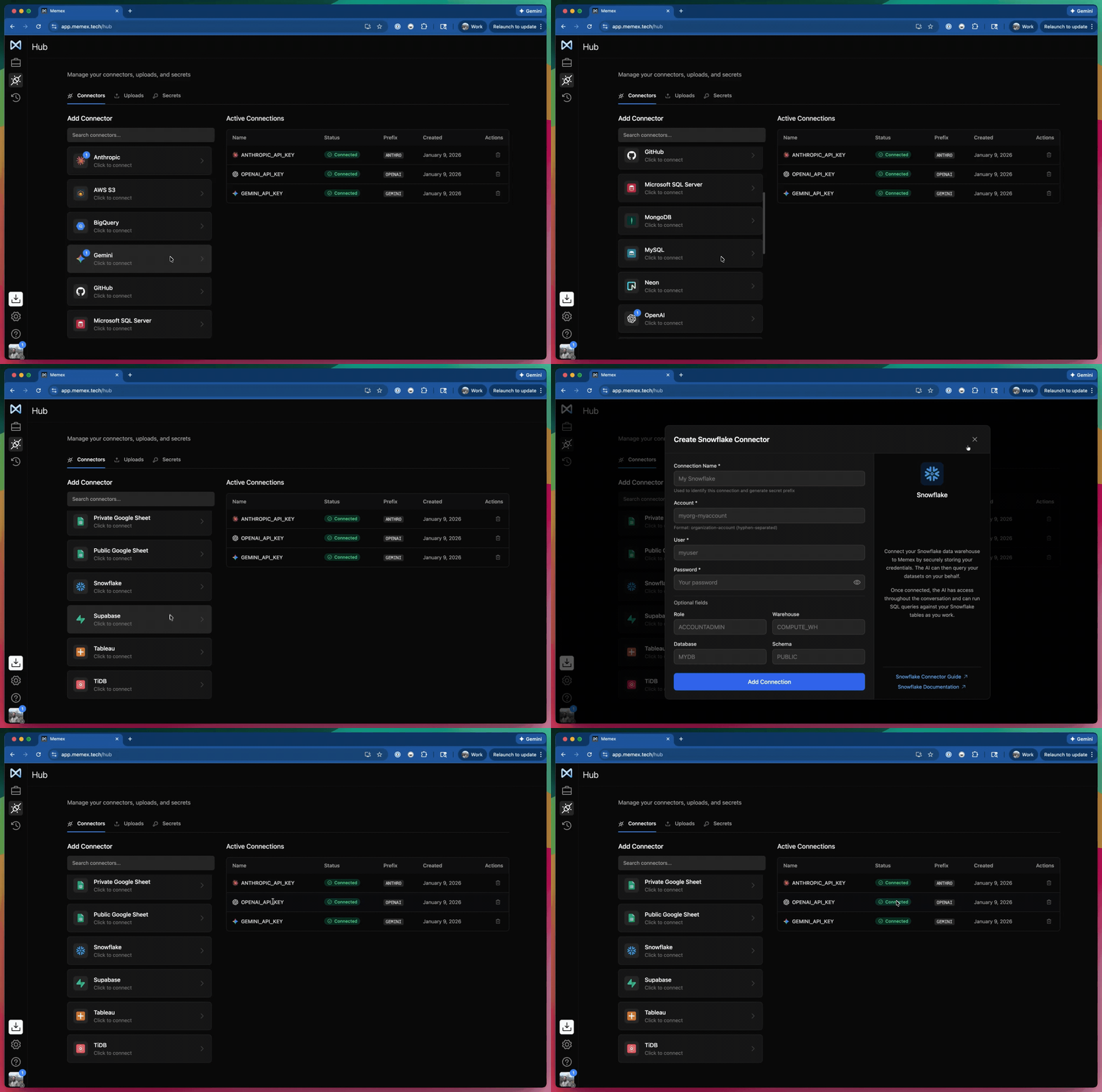
A data app isn’t very useful until it can connect to something real. Memex Web supports dozens of integrations—data warehouses, databases, APIs, Google Sheets, AI providers, and more.
It also supports file uploads, so you can work with your CSVs or Excel spreadsheets and build apps directly on top of them.
Files and connectors are centralized. Upload/connect once, use across all your projects.
And when you need to connect to something we don’t have a dedicated connector for, you can configure secrets (like API keys) and wire it up directly.
The benefit: you can go from “here’s the dataset” to “here’s a working app on top of production data” without a bunch of glue code and setup overhead.
What it’s optimized for
Memex Web is built around Streamlit + Python because it’s one of the most underappreciated “full-stack” combinations for turning data into usable software.
It’s fast to iterate, simple to UI, and deeply capable behind the scenes. With this stack you can build far more than charts-on-a-page:
dashboards and KPI explorers
interactive reports and client-facing portals
data validation tools and lightweight admin panels
upload → transform → export workflows
prototypes that include real business logic, API calls, caching, and authentication patterns
AI apps connected to any LLM
If you’ve ever wanted to take something that lives in a spreadsheet or notebook and turn it into a tool other people can actually use—this stack is built for that.
Streamlit + Python is just the starting point: we expect Memex Web to expand to more stacks over time as we keep pushing toward “prompt → real software” for more kinds of data apps.

A few other things you’ll notice…
Work from anywhere (including mobile): Open Memex Web in any browser, log in, and your projects are there—no installs, no machine-specific setup. We’ve also treated mobile as a first-class experience from the start.
Manual edits are part of the loop: Edit files directly when it’s faster than prompting, and save tokens for the work that matters.
Desktop escape hatch: When you need broader tooling or a different stack, sync the project down to Memex Desktop and keep going locally.
…and some release notes
Memex Web is a preview release, and a couple things are intentionally scoped:
Sync is one-way (Web → Desktop) right now. You can start in Web and move down to Desktop, but not the other way around (yet).
Memex Web is currently focused on Streamlit + Python data apps. If you hit stack limitations, Memex will guide you to sync to Desktop and continue there.
We’ve updated our Terms & Conditions to include details related to Memex Web
Try Memex Web today
Memex Web is live starting today. If you’ve ever thought “there has to be a better way to work with my data, Memex Web is built for that exact moment.
Try it out and get started for free today.