The Best Use Case We Didn't Plan For
How Streamlit data apps emerged as Memex's most reliable path from data to deployed software—and why we built around them.
Key Takeaways
Streamlit apps kept solving real problems in our own workflows before we recognized them as a product focus
Their combination of speed, reliability, and data-handling made them ideal for the "in-between" software most teams actually need
We solved the three frictions holding them back: deployment, data connections, and polish
Anyone can now build production-quality data apps without becoming a Python expert, while developers can work roughly 10× faster
Streamlit is our first “default” for data apps—not the finish line. We’re starting here because it’s the fastest path from data → working tool, and we’ll expand to more app types and stacks as we go.
We didn't set out to build a Streamlit app builder.
Memex Desktop started as a general-purpose tool for building software with AI. From the beginning, the goal was flexibility: let people describe what they want, let the agent plan, write code, run it, fix it, and deploy something real. That approach worked. More than fifteen thousand users have built over seventy-five thousand projects across every domain imaginable.
But if you looked at our dashboards early on, Streamlit data apps weren't the headline use case driving those numbers.
And yet—we kept building them.
Streamlit became the clearest first step. Not because we think the world ends at Streamlit, but because it’s the most direct route to something teams can actually use. Our broader bet is bigger: the “data app” pattern is just one shape of software that should be easy to create, ship, and share. We’re starting with the shape that shows up everywhere, then moving outward.
The Apps We Kept Rebuilding for Ourselves
Internally, we were constantly spinning up small data apps: dashboards to understand business metrics, one-off tools to debug system errors, experiments to pressure-test pricing decisions, lightweight interfaces to explore unstructured data.
None of these felt like "products." They were means to an end. Something you build quickly, use intensively for a short window, and then either throw away or rebuild later if it proves valuable enough to keep around.
Streamlit was perfect for this.
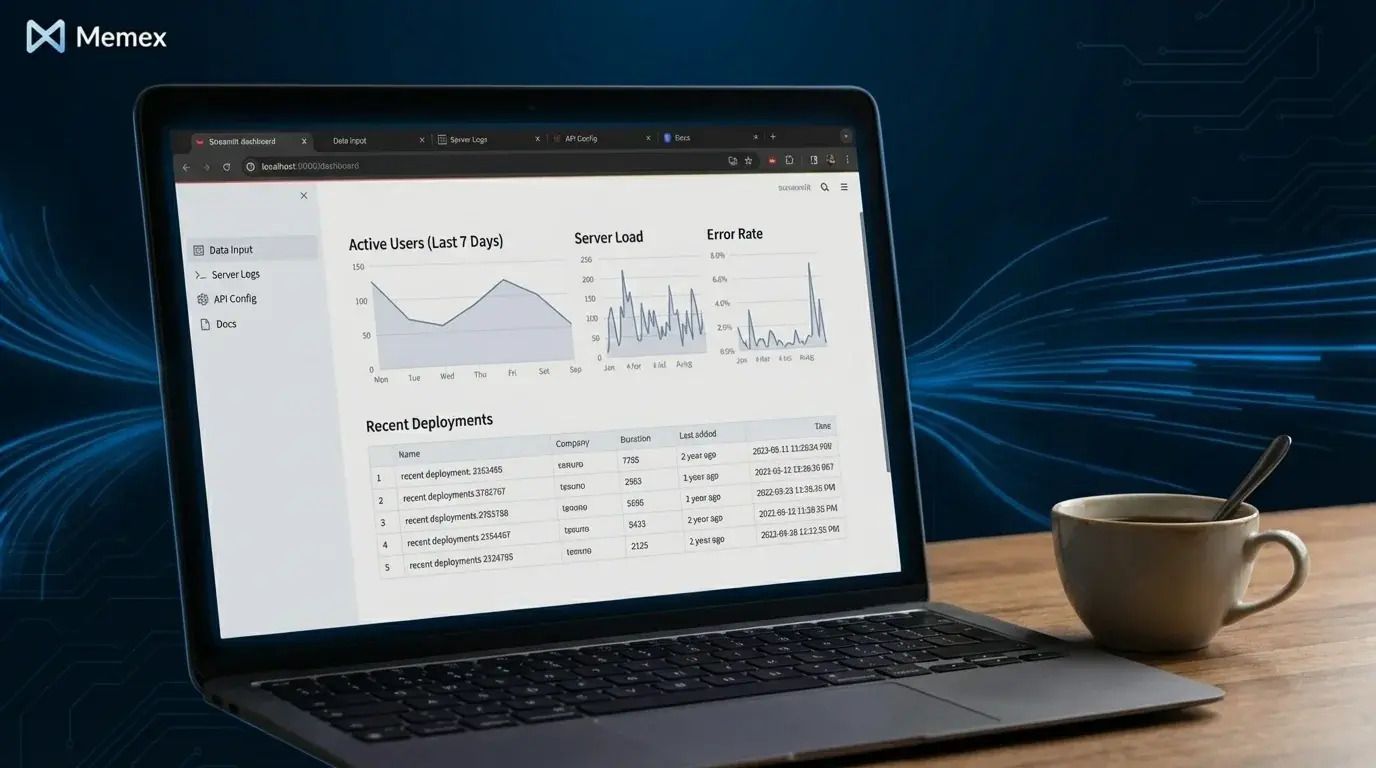
It wasn't glamorous. It didn't feel like a core growth lever. But it kept showing up in our own workflows—the quiet workhorse behind decisions that actually mattered.
Then we noticed something interesting.
A small but growing pocket of users was doing the exact same thing. They weren't trying to build the next great SaaS product. They were trying to understand their data, share insights with their team, and make better decisions faster. The tools they needed didn't exist in their current stack, so they were building them.
Streamlit has been around since 2019, and it's earned a devoted following among data scientists and Python developers. But its properties make it unusually powerful for a much broader audience—properties that become especially valuable when combined with an AI that can write the code for you. That’s why we’ve treated Streamlit as a first-class workflow inside Memex Web: it’s the rare framework where speed, readability, and data-native UI all align.
First, Streamlit apps are fast to build. The framework was designed for rapid iteration, and you can go from idea to working UI in hours rather than weeks.
Second, they fail less often than more complex web applications. The architecture is simpler, the surface area for bugs is smaller, and you reliably end up with something usable.
Third—and this matters more than people realize—most of the logic lives in a single file. There's no sprawling separation between frontend and backend, no complex state management, no build pipeline to configure. This makes the code readable even to people who aren't Python experts, and it makes AI-generated code easier to understand, verify, and modify.
Finally, Streamlit handles data exceptionally well. Tables, charts, filters, transformations, file uploads, database connections—these aren't afterthoughts bolted onto a web framework. They're what Streamlit was built for.
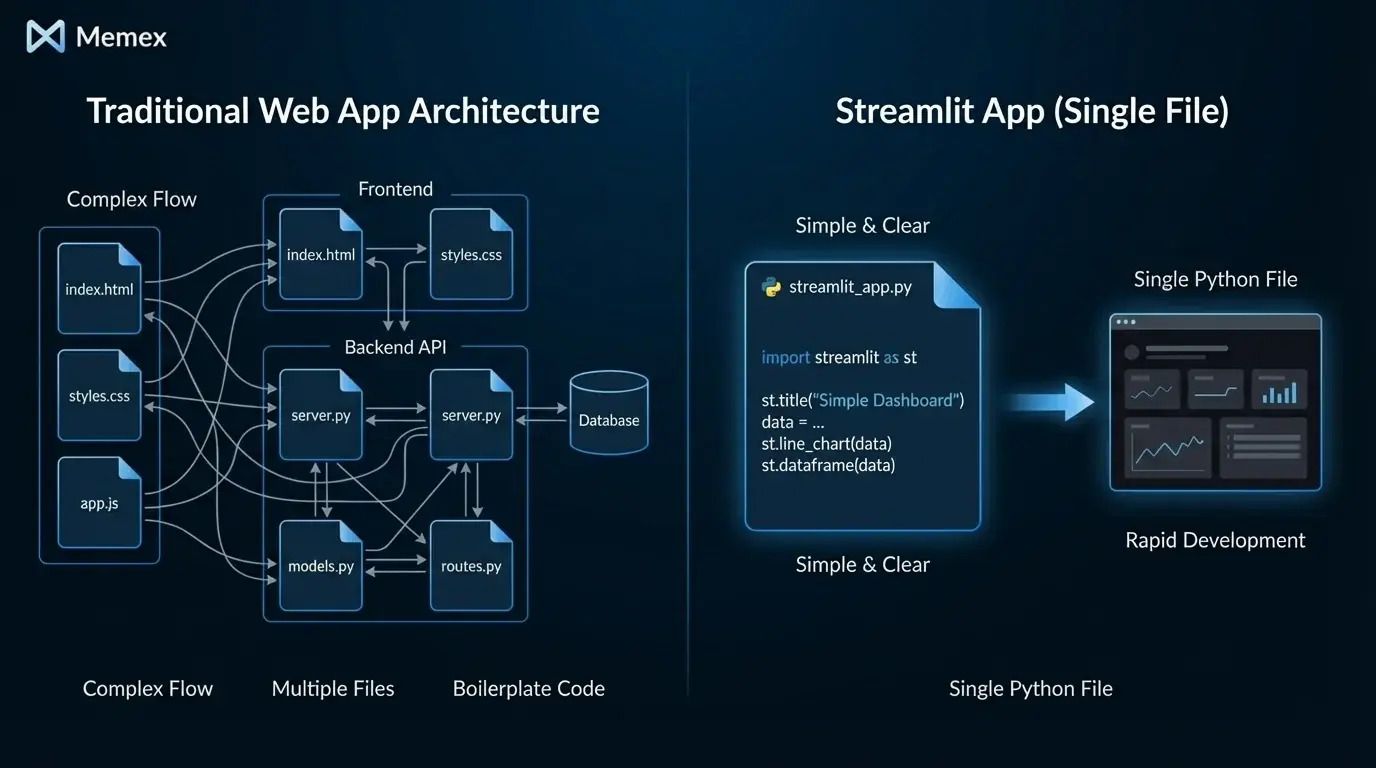
In practice, this makes Streamlit ideal for a huge class of "in-between" software: not quite a script you run once, not quite a full production application with dedicated engineering resources. Exactly the kind of software most teams build constantly—but rarely talk about because it doesn't fit neatly into any category.
We've written before about what we mean by data apps—any reusable, code-backed way of turning data into something useful. Streamlit happens to be one of the most reliable paths to that destination.
The Three Frictions Holding Them Back
Despite their strengths, Streamlit apps stayed niche. Not because they weren't useful, but because three friction points kept showing up:
Deployment was clunky. Turning a local Streamlit app into something shareable or persistent was harder than it should be. Streamlit Community Cloud helped, but it came with limitations. Self-hosting meant dealing with servers, containers, and infrastructure that most data-focused professionals didn't want to manage. The app might work beautifully on your laptop, but getting it in front of your team often requires a whole separate skillset.
Connecting real data took effort. The moment you moved beyond a CSV sitting in the same folder as your script, complexity multiplied. APIs required authentication. Databases needed connection strings and credentials managed securely. Spreadsheets in Google Drive needed OAuth flows. Each data source added setup cost that made the quick-and-dirty prototype feel less quick than it should.
They didn't look great by default. Streamlit apps are functional, but out of the box, they look like what they are: developer tools. That's fine for personal use, but sharing something with stakeholders or embedding it in a workflow often required polish that took as much time as building the app itself.
All three problems were solvable. They just hadn't been solved together, in a single experience, for people who weren't already comfortable with the full stack of Python development, cloud deployment, and frontend styling.
So We Solved Them
We didn't focus overnight. We followed the evidence—the pattern we were already seeing in our own work and in how a growing number of users were finding value.

Today, anyone can build a data app in Memex by describing what they need in natural language. The deployment problem disappears—apps go live with a single action, hosted and shareable immediately. Connecting to data and APIs is super simple. And the result looks and feels like a real tool, not a prototype you're embarrassed to share.
What it feels like to build and deploy in Memex
The core loop is intentionally short:
You describe the tool you want → Memex generates the Streamlit app → you run it locally and see a preview → you tweak what you meant (not what you coded) → Memex refines it → and when it’s ready, you publish it.
A few details matter here:
One workflow from “first draft” to “shareable link.” You’re not bouncing between an editor, a terminal, a deployment tutorial, and a hosting dashboard. The same place you build is the place you ship.
Data connections don’t turn into a side quest. You can connect to the real sources teams actually use—databases, APIs, spreadsheets—without turning setup into a multi-day project.
Polish is part of the build, not a separate project. Layout, usability, and “stakeholder-ready” defaults aren’t an afterthought. They’re part of what Memex helps you iterate on from the start.
You can keep control. If you’re a developer (or working with one), everything is still code. You can inspect it, edit it, extend it, and move it into a different setup when you need to.
If you already know how to build Streamlit apps, you can now create them roughly ten times faster—or build ten times more in the same amount of time. The tedious parts (boilerplate, debugging, deployment configuration) get handled while you focus on what the app should actually do.

If you don't know Python, that's fine too. Describe what you want, what data you're working with, and what questions you're trying to answer. Memex handles the implementation. You don't need to become a developer overnight.
And for the developers reading this: the code is always there. View it, edit it, extend it, take it with you.
What This Taught Us
The most valuable use cases aren't always the loudest ones.
Sometimes they start as internal tools you build because nothing else quite fits. Sometimes they look like "just a workaround" before you realize they're solving problems across your entire organization. Sometimes they live quietly in a single file, getting the job done without anyone thinking to celebrate them.
The use cases we've seen confirm this pattern (if you haven’t yet, check out the Featured Pages on our website!). People aren't building Streamlit apps because they love Streamlit. They're building them because they have data that needs to become useful, and Streamlit happens to be the most reliable path from point A to point B.
Data apps shouldn't be limited to the small group of people who already know how to code, deploy, and maintain them. They're too useful for that. A marketing analyst shouldn't need to learn Docker to share insights with their team. A researcher shouldn't need to configure cloud infrastructure to let collaborators explore a dataset. An operations manager shouldn't need to hire a developer to build the dashboard they'll use every morning.
We're betting that the gap between "having data" and "having a working tool that uses that data" is about to collapse—and that Streamlit apps are the right foundation for making it happen.
What comes next (beyond Streamlit)
Streamlit is a great “first home” for data apps because it compresses the distance between idea and working tool. But the bigger vision isn’t “everyone becomes a Streamlit developer.”
The bigger vision is: if you can explain what you want software to do—especially software that touches data—you should be able to produce something real, shareable, and maintainable without needing to assemble a whole stack first.
Streamlit is the wedge. The workflow is the product.
Over time, you should expect Memex to support more frameworks, more types of interfaces, and more kinds of software that teams need in the gaps between spreadsheets and full-blown engineering projects—while keeping the same principles: fast iteration, real code, easy deployment, and portability.
If you want to see what this looks like in practice, start building for free. And if you want to talk through what you're trying to create, join us on Discord.
Frequently Asked Questions
Do I need to know Python to build Streamlit apps in Memex? No. You can describe what you want in natural language, and Memex writes the code, runs it, debugs errors, and deploys the result. If you do know Python, you can view and edit the generated code at any time.
Can I connect Streamlit apps to my existing databases and APIs? Yes. Memex supports secure connections to cloud resources, APIs, databases, Google Sheets, and other data sources. Credentials are managed securely through the desktop app's secrets management feature.
How does Memex deploy Streamlit apps? Memex handles deployment to serverless compute infrastructure. Once your app is working locally, you can deploy it with a single action and share it via URL—no need to configure servers or containers yourself.
What if I want to customize or extend the generated code later? Everything Memex produces is real Python code stored locally on your machine. You own it completely, with no lock-in. You can edit it in any IDE, extend it with additional libraries, or move it to your own infrastructure.
Is Streamlit the only framework Memex supports for data apps? Streamlit is our primary focus for data apps today because of its reliability and speed—but it’s not the boundary of what we’re building. Memex remains a general-purpose AI software engineer, and our roadmap expands beyond Streamlit into more frameworks and more kinds of software—while keeping the same “describe → build → run → ship” loop that makes Streamlit so effective.